The club app
For parents, athletes and coaches. For club members only: the first sign-in uses an invitation code from the club administrator, after that an SMS code. We are preparing it for the App Store first, then for Google Play.
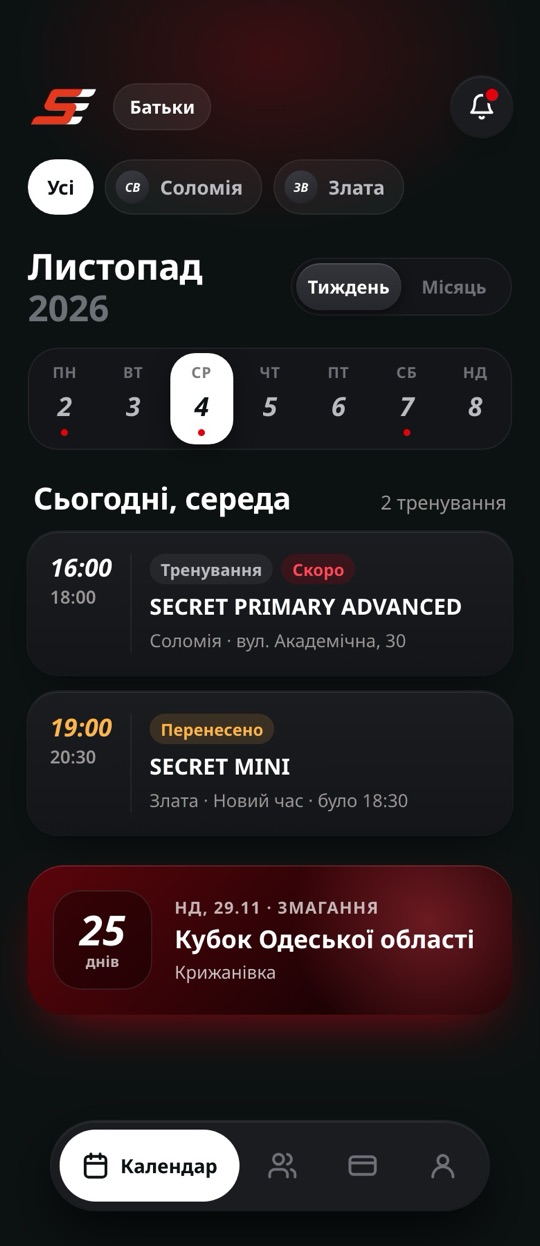
Schedule and changes. Moved, cancelled or a different hall — a notification arrives at once.
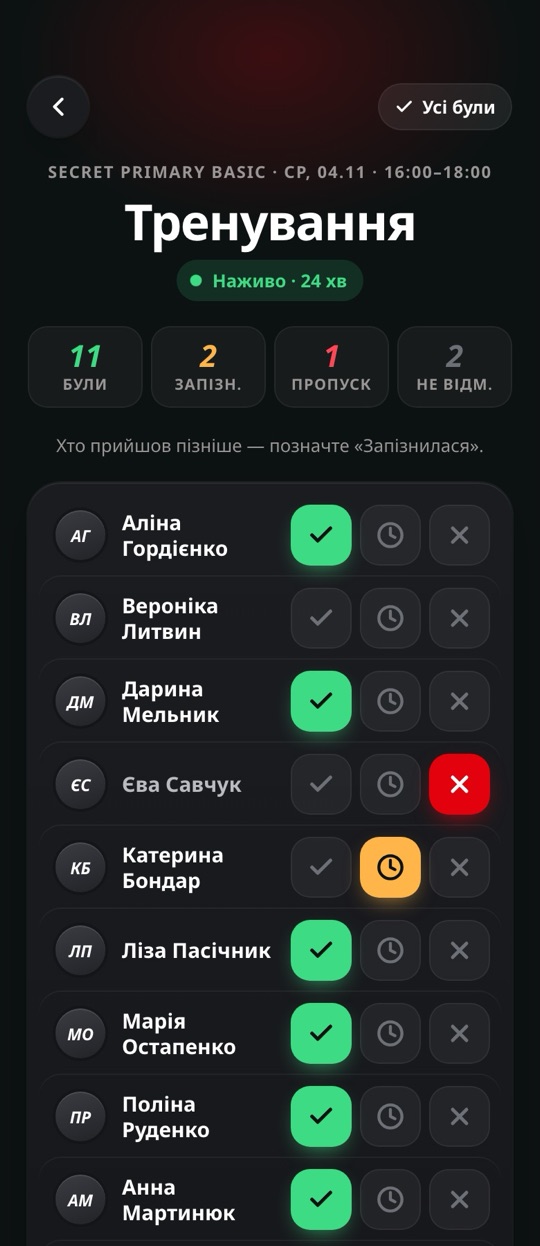
Attendance. After training, parents learn whether their child was present, late or absent.
Athlete profile. Documents, insurance, medical certificates, sports ranks and skills.
Competitions. Event calendar, meeting time, uniform, packing list and a “Going” answer.
Membership fees. A monthly bill, Apple Pay, Google Pay or bank transfer, due-date reminders.
 SECRETРозклад15:02
SECRET MINI: тренування Ср, 04.11 — новий час 19:00–20:30.
SECRETТренування20:31SECRET MINI: тренування завершено. Злата була на тренуванні.
SECRETЗмагання09:15Змагання: відповісти про участь до п’ятниці.
Support
Questions about the app — email us. Include the phone number you sign in with and what happened.
hello@secretcheerdance.comPhone: +380 99 212 31 14
How do I sign in for the first time?
Enter the phone number you gave the club. The first time, the app asks for an invitation code — the club administrator sends it to you. After that you sign in with an SMS code only.
The SMS code doesn’t arrive
Check the number, wait a minute, then request the code again. If it still doesn’t arrive, email us and we will check your number in the club’s records.
The app says the number was not found
Only numbers registered with the club can sign in. Ask the administrator to add your number or to check that it is recorded correctly.
How do I delete my account?
In the app: Profile → «Видалити обліковий запис» (Delete account). You can also email us. What is deleted and what the club keeps is in the privacy policy.
Payment questions
For bills, due dates and refunds, contact the club administrator or email the club.